Buy work-shop.eu ?
We are moving the project
work-shop.eu .
Are you interested in purchasing the domain
work-shop.eu ?
domain@kv-gmbh.de · 0541-91531010
Buy work-shop.eu ?
How does Google Chat video conference work?
Google Chat video conference allows users to initiate video calls with individuals or groups directly from the chat interface. Users can simply click on the video call icon within a chat conversation to start a video conference. Participants can join the video call by clicking on the link provided in the chat. Google Chat video conference also offers features like screen sharing, real-time captions, and integration with other Google Workspace apps for a seamless collaboration experience. **
What is a video conference?
A video conference is a live, two-way communication session between two or more people in different locations, using video and audio technology. It allows participants to see and hear each other in real time, simulating a face-to-face meeting even when they are not physically in the same place. Video conferences can be conducted through various platforms and devices, such as computers, smartphones, or dedicated video conferencing systems. This technology is commonly used for business meetings, remote work, virtual events, and distance learning. **

Similar search terms for Logitech-MeetUp-Video-Conference
Top-Angebote
Products related to Logitech-MeetUp-Video-Conference:
-
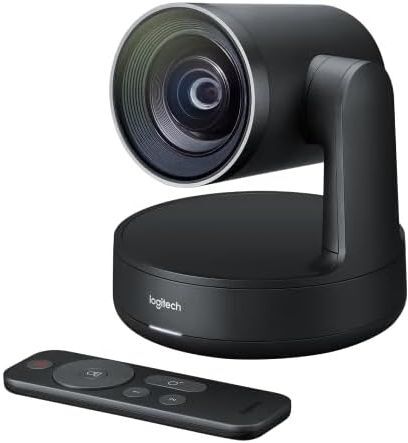
Gadcet Chadwell Heath Logitech Rally 4K UHD PTZ Conference Camera, New.gadcet-pdp{--g-green:#00a651;color:#1f2430;line-height:1.55;font-size:inherit;max-width:760px}.gadcet-pdp>*:first-child{margin-top:0}.gadcet-pdp p{margin:0 0.9em}.gadcet-pdp h3{font-size:1.05em;font-weight:600;color:#11161f;margin:1.4em 0.5em;padding-left:.5em;border-left:3px solid var(--g-green);border-radius:0;line-height:1.3}.gadcet-pdp ul{list-style:none!important;margin:0 0.9em;padding:0!important}.gadcet-pdp ul li{position:relative;padding:.1em 0.1em 1.5em;margin:0}.gadcet-pdp ul li::before{content:"";position:absolute;left:.16em;top:.45em;width:.36em;height:.66em;border:solid var(--g-green);border-width:0.14em.14em 0;transform:rotate(45deg)}.gadcet-pdp table{width:100%;border-collapse:collapse;margin:.3em 0 1em;font-size:.95em;border:1px solid #e7e9ee!important;border-radius:8px;overflow:hidden}.gadcet-pdp table td{padding:.5em.8em;border-bottom:1px solid #eef0f4!important;vertical-align:top}.gadcet-pdp table tr:last-child td{border-bottom:0!important}.gadcet-pdp table tr:nth-child(even){background:#f7f9f8}.gadcet-pdp table td:first-child{font-weight:600;color:#454c59;width:40%}@media (max-width:600px){.gadcet-pdp table td:first-child{width:42%}} Bring professional-quality video conferencing to your meeting room with the Logitech Rally 4K UHD PTZ Conference Camera. Featuring a powerful 4K Ultra HD imaging system, smooth motorised pan/tilt/zoom and 15x HD zoom, it captures every participant with exceptional clarity and detail. Key Features Professional 4K Ultra HD video at up to 30fps for sharp, detailed images 15x HD zoom for close-up views without losing quality Motorised Pan/Tilt/Zoom with quiet, precise movement Wide 90° diagonal field of view to capture the whole room RightSight automatic camera control to keep participants framed RightLight technology with WDR for balanced lighting in any environment Autofocus to keep subjects sharp Three camera presets for quick positioning USB plug-and-play connectivity for easy setup Broad software compatibility with popular video conferencing apps Flexible installation with included mounting hardware or tripod Benefits Deliver crisp, professional video in every meeting Save time with automatic framing and presets Adapt to any room layout with wide field of view and flexible mounting Work seamlessly with your existing conferencing software Choose new or pre-owned options to suit your budget Specifications Brand Logitech Model Rally Camera MPN 960-001227 EAN / GTIN 5099206079533 Product Type Ultra HD PTZ Conference Camera Video Resolution Up to 4K Ultra HD 4K Frame Rate 30fps 1080p Frame Rate Up to 60fps 1440p Up to 30fps 720p Up to 60fps Zoom 15x HD Pan ±90° Tilt +50° / -90° Diagonal Field of View 90° Horizontal Field of View 82.1° Vertical Field of View 52.2° Focus Autofocus RightSight Yes RightLight / WDR Yes Camera Presets 3 Connectivity USB Type-C / USB 3.0 Mounting Wall Mount / Tripod Colour Black Dimensions 182.5 × 152 × 152 mm Compatibility Windows, Mac & Chrome OS Camera Type PTZ /...799,00 £*Shipping: 0,00 £Secure redirect to the provider
-
OEM "63"" Conference Table, Meeting Desk for 4-6 People, Solid Wood Office Table for Conference Room, Office, Collaboration Space"Great ideas don’t happen in isolation—they spark from collaboration, grow from discussion, and take shape around a table where voices are heard, creativity flows, and small teams come together to chase a common goal.289,99 $*Shipping: 0,00 $Secure redirect to the provider
-
Logitech 961-000490 Circle View Weatherproof Wired Home Security Camera TrueView Video, 180° Wide Angle, 1080p HD, Night Vision, 2-Way Audio, Encrypted and Apple HomeKit Secure Video - Black, NewEffortless peace of mind – Circle View is an easy-to-use home security camera, with a durable weatherproof IP64-rated body and included wall-mounting bracket for easy installation. Logitech TrueView 180° wide field of view – See what matters most with our Logitech TrueView best-in-class video experience. Capture everything in razor-sharp detail with full HD and 180° diagonal field-of-view glass optics. Logitech TrueView wide dynamic range – Capture clear pictures in sunlight or shadows, thanks to the high-quality sensor with wide dynamic range that provides more detail in high-contrast videos. Logitech TrueView enhanced night vision – Best-in-class infrared powered night vision is optimised for full-field visibility and superior clarity in the dark up to 4.5 metres (15 ft) away. Ensured privacy – Tilt camera down or press the rear on/off button for instant privacy. Circle View’s innovative design makes it our most secure camera ever. Indoor/Outdoor usage Indoor Compatible devices Cellphone Power source Corded Electric Connectivity protocol Wi-Fi Controller type Apple HomeKit Mounting type Foot Video capture resolution 1080p Colour Black Number of items 1 Included components Camera Number of channels 2 Wireless communication technology Wi-Fi Form factor Dome Effective video resolution 1080 Viewing angle 180 Degrees Installation type Offset Night-vision range 15 Feet Material Metal Voltage 220 Wattage 3600 Item dimensions L x W x H 6.7 x 7 x 5.7 centimetres Water resistance level Water Resistant Product Dimensions 6.72 x 7.05 x 5.68 cm; 253 g Batteries 1 Lithium Ion batteries required. Item model number 961-000490 Manufacturer Logitech Wireless Type Infrared Rear Webcam Resolution 5 MP Are Batteries Included No Lithium Battery Energy Content 2 Kilowatt Hours Lithium Battery Packaging Batteries packed with equipment Lithium Battery Weight 2 g Number Of Lithium Ion Cells 5 Number of Lithium Metal Cells 5 Item Weight 253 g158,99 £*Shipping: 0,00 £Secure redirect to the provider


-
How does a job interview via video conference work?
A job interview via video conference typically involves the candidate and the interviewer(s) connecting through a video platform such as Zoom, Skype, or Microsoft Teams. The interviewer(s) will send the candidate a link to join the video conference at a specific date and time. During the interview, both parties will be able to see and hear each other, allowing for a face-to-face interaction despite being in different locations. The interview process, including questions, discussions, and presentations, will proceed similarly to an in-person interview, with the added element of managing the technology and ensuring a stable internet connection. **
-
How does a video conference work with data volume?
During a video conference, data volume refers to the amount of data being transmitted between participants. The data volume is determined by factors such as video quality, number of participants, and features being used (such as screen sharing or file transfers). Higher video quality and more participants will result in a higher data volume. The data is transmitted over the internet in real-time, and a stable internet connection is necessary to ensure smooth video and audio quality during the conference. **
-
How does a video conference with data volume work?
During a video conference with data volume, the audio and video data is transmitted in real-time over the internet. The data is broken down into packets, which are then sent over the network to the recipient's device. The recipient's device reassembles the packets to recreate the audio and video feed, allowing for a seamless video conference experience. The amount of data volume required for a video conference depends on factors such as the video quality, number of participants, and any additional features like screen sharing or file transfers. **
-
How does a video conference with Microsoft Teams work?
A video conference with Microsoft Teams works by first scheduling a meeting and inviting participants through the Teams app. Once the meeting time arrives, participants can join the video conference by clicking on the meeting link or by accessing the meeting through the Teams app. During the video conference, participants can share their screens, chat with each other, and collaborate on documents in real-time. Microsoft Teams also offers features like background blur and virtual backgrounds to enhance the video conference experience. **

How do I end a video conference?
To end a video conference, you can typically click on the "End Call" or "Leave Meeting" button that is usually located on the screen. Some video conferencing platforms may also have a specific option to "End Meeting" or "Close Meeting." Once you click on this button, the video conference will be terminated, and you will no longer be connected to the call. Make sure to confirm that you want to end the call before clicking on the button to avoid any accidental disconnections. **
Have you ever canceled a video conference?
As an AI, I do not have the ability to cancel video conferences. **
Top-Angebote
Products related to Logitech-MeetUp-Video-Conference:
-
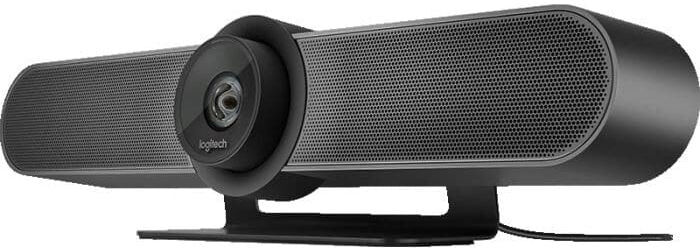
Logitech MeetUp Video Conference Camera, Used - Very GoodPERFECT FOR SMALL ROOMS MeetUp is Logitech’s premier ConferenceCam for small conference rooms and huddle rooms. Stop crowding around laptops. With an extra wide field of view, motorized lens and RightSight™ auto framing plus a pan/tilt lens, MeetUp makes every seat at the table clearly visible. With integrated audio optimized for huddle room acoustics, everyone can be heard as well as seen. A WIDE VIEW FOR TIGHT SPACES Logitech® MeetUp brings remarkable video quality to small conference rooms. Its extra wide field-of-view easily accommodates huddle rooms where people sit on either side of the camera. The 4K ultra high-def sensor and Logitech lens deliver extra sharp clarity, while pan, tilt, and zoom controls let you focus on presenters and their visual aids. HEARING IS BELIEVING Housed within a patent-pending anti-vibration enclosure, MeetUp’s integrated audio is optimized for huddle room acoustics, delivering exceptional sound in small rooms and a custom-tuned speaker ensure meetings sound as great as they look. Add Expansion Mic for MeetUp to extend the audio range up to 5 meters. CERTIFIED FOR BUSINESS MeetUp offers a plug-and-play USB connection to conference room computers, and is certified for Skype for Business and Teams, Microsoft Cortana®, Cisco Jabber™ compatible, and offers enhanced integration with BlueJeans, Broadsoft, LifeSize Cloud, Vidyo, Fuze and Zoom. If your preferred application can recognize a webcam, you can use it with MeetUp. DESIGNED FOR THE WAY PEOPLE MEET A marvel of miniaturization, MeetUp’s compact dimensions and graceful curves integrate beautifully into huddle rooms and smaller conference rooms. At just 15.75 inches (400 mm) wide, MeetUp is compact enough to mount on a mobile cart, within cabinetry, or above or below a display. EXTRAS PROVIDE MORE CONVENIENCE Our free mobile app (available on Google Play and iTunes) turns your smartphone or tablet into a remote control for MeetUp. Add accessories such as the Logitech Expansion Mic and TV Mount for different room sizes and configurations. Order replacement parts if needed to keep everything up and running. 5X ZOOM Perfectly frame presenters to minimize background distractions. Zoom in on whiteboards and objects so remote participants can see what you see. Thanks to its advanced 4K image sensor, video remains sharp and clear, even when you zoom in on the details. PREMIUM CAMERA OPTICS MeetUp features exquisitely engineered, premium camera optics that capture a wide field-of-view without distorting faces and furniture with a “fisheye” effect. Faces look natural, whiteboard writing remains legible, and straight lines stay straight. EXTENDED RANGE Logitech Expansion Mic for MeetUp provides greater flexibility in huddle room configurations. MeetUp’s built-in beamforming mics are optimized for up to 4 meters (13.1 feet). To extend that range up to 5 meters (16.4 feet), add an Expansion Mic. So whether people are seated at a table, sitting against the wall, or walking...399,99 £*Shipping: 0,00 £Secure redirect to the provider
-
Dell 24 P24 Video Conference Monitor.gadcet-pdp{--g-green:#00a651;color:#1f2430;line-height:1.55;font-size:inherit;max-width:760px}.gadcet-pdp>*:first-child{margin-top:0}.gadcet-pdp p{margin:0 0.9em}.gadcet-pdp h3{font-size:1.05em;font-weight:600;color:#11161f;margin:1.4em 0.5em;padding-left:.5em;border-left:3px solid var(--g-green);border-radius:0;line-height:1.3}.gadcet-pdp ul{list-style:none!important;margin:0 0.9em;padding:0!important}.gadcet-pdp ul li{position:relative;padding:.1em 0.1em 1.5em;margin:0}.gadcet-pdp ul li::before{content:"";position:absolute;left:.16em;top:.45em;width:.36em;height:.66em;border:solid var(--g-green);border-width:0.14em.14em 0;transform:rotate(45deg)}.gadcet-pdp table{width:100%;border-collapse:collapse;margin:.3em 0 1em;font-size:.95em;border:1px solid #e7e9ee!important;border-radius:8px;overflow:hidden}.gadcet-pdp table td{padding:.5em.8em;border-bottom:1px solid #eef0f4!important;vertical-align:top}.gadcet-pdp table tr:last-child td{border-bottom:0!important}.gadcet-pdp table tr:nth-child(even){background:#f7f9f8}.gadcet-pdp table td:first-child{font-weight:600;color:#454c59;width:40%}@media (max-width:600px){.gadcet-pdp table td:first-child{width:42%}} The Dell P2424HEB 24-inch Video Conference Monitor bundles yours must needs a screen, webcam, speakers, and docking station into one sleek, telecomm true all-in-one. It is ideal for professionals who want to declutter their desk and join conferences with minimum effort. Key Features 23.8-inch Full HD IPS panel with 1920 × 1080 resolution at 60Hz Integrated 4MP RGB + IR webcam supporting 2K @ 30fps and Full HD @ 60fps Dual 5W speakers delivering combined 10W stereo audio output Two digital microphones for clear voice capture USB-C (up to 90W power delivery) with DisplayPort over USB-C Built-in 1Gb Ethernet (RJ45) for wired network connectivity Auto KVM switch between two computers Ergonomic stand with 150mm height adjustment, tilt, swivel and 90° pivot Benefits Simplifies the setup – no need for separate webcam, speakers, or dock Connect one USB-C to charge and transmit display and data to a compatible laptop Video calls in Full HD with a professional-looking camera and audio Easily add external drives, keyboard, and mouse to keep the hub tidy Specifications Display size 23.8-inch diagonal Panel type IPS Resolution 1920 × 1080 Full HD @ 60Hz Viewing angle 178° horizontal/vertical Colour coverage 99% sRGB Webcam 4MP RGB + IR (2K @ 30fps, FHD @ 60fps) Audio output 2 × 5W speakers (total 10W) Microphones Dual digital microphones Connectivity USB-C (90W PD), USB-C downstream, USB-A × 3, HDMI, DisplayPort (IN/OUT), Ethernet (RJ45), 3.5mm headphone jack Power USB-C Power Delivery up to 90W Adjustability Height 150mm, tilt, swivel, 90° pivot What This Item Will Deliver This is a brand new Dell P2424HEB 24-inch Video- conferencing monitor, including the adjustable stand. It is supplied in a New condition (refurbished not eligible). Ideal For Someone who works from home, in a hybrid office, or handles...269,00 £*Shipping: 0,00 £Secure redirect to the provider
-
Gadcet Chadwell Heath Logitech Rally 4K UHD PTZ Conference Camera, New.gadcet-pdp{--g-green:#00a651;color:#1f2430;line-height:1.55;font-size:inherit;max-width:760px}.gadcet-pdp>*:first-child{margin-top:0}.gadcet-pdp p{margin:0 0.9em}.gadcet-pdp h3{font-size:1.05em;font-weight:600;color:#11161f;margin:1.4em 0.5em;padding-left:.5em;border-left:3px solid var(--g-green);border-radius:0;line-height:1.3}.gadcet-pdp ul{list-style:none!important;margin:0 0.9em;padding:0!important}.gadcet-pdp ul li{position:relative;padding:.1em 0.1em 1.5em;margin:0}.gadcet-pdp ul li::before{content:"";position:absolute;left:.16em;top:.45em;width:.36em;height:.66em;border:solid var(--g-green);border-width:0.14em.14em 0;transform:rotate(45deg)}.gadcet-pdp table{width:100%;border-collapse:collapse;margin:.3em 0 1em;font-size:.95em;border:1px solid #e7e9ee!important;border-radius:8px;overflow:hidden}.gadcet-pdp table td{padding:.5em.8em;border-bottom:1px solid #eef0f4!important;vertical-align:top}.gadcet-pdp table tr:last-child td{border-bottom:0!important}.gadcet-pdp table tr:nth-child(even){background:#f7f9f8}.gadcet-pdp table td:first-child{font-weight:600;color:#454c59;width:40%}@media (max-width:600px){.gadcet-pdp table td:first-child{width:42%}} Bring professional-quality video conferencing to your meeting room with the Logitech Rally 4K UHD PTZ Conference Camera. Featuring a powerful 4K Ultra HD imaging system, smooth motorised pan/tilt/zoom and 15x HD zoom, it captures every participant with exceptional clarity and detail. Key Features Professional 4K Ultra HD video at up to 30fps for sharp, detailed images 15x HD zoom for close-up views without losing quality Motorised Pan/Tilt/Zoom with quiet, precise movement Wide 90° diagonal field of view to capture the whole room RightSight automatic camera control to keep participants framed RightLight technology with WDR for balanced lighting in any environment Autofocus to keep subjects sharp Three camera presets for quick positioning USB plug-and-play connectivity for easy setup Broad software compatibility with popular video conferencing apps Flexible installation with included mounting hardware or tripod Benefits Deliver crisp, professional video in every meeting Save time with automatic framing and presets Adapt to any room layout with wide field of view and flexible mounting Work seamlessly with your existing conferencing software Choose new or pre-owned options to suit your budget Specifications Brand Logitech Model Rally Camera MPN 960-001227 EAN / GTIN 5099206079533 Product Type Ultra HD PTZ Conference Camera Video Resolution Up to 4K Ultra HD 4K Frame Rate 30fps 1080p Frame Rate Up to 60fps 1440p Up to 30fps 720p Up to 60fps Zoom 15x HD Pan ±90° Tilt +50° / -90° Diagonal Field of View 90° Horizontal Field of View 82.1° Vertical Field of View 52.2° Focus Autofocus RightSight Yes RightLight / WDR Yes Camera Presets 3 Connectivity USB Type-C / USB 3.0 Mounting Wall Mount / Tripod Colour Black Dimensions 182.5 × 152 × 152 mm Compatibility Windows, Mac & Chrome OS Camera Type PTZ /...799,00 £*Shipping: 0,00 £Secure redirect to the provider
-
OEM "63"" Conference Table, Meeting Desk for 4-6 People, Solid Wood Office Table for Conference Room, Office, Collaboration Space"Great ideas don’t happen in isolation—they spark from collaboration, grow from discussion, and take shape around a table where voices are heard, creativity flows, and small teams come together to chase a common goal.289,99 $*Shipping: 0,00 $Secure redirect to the provider
-
How does Google Chat video conference work?
Google Chat video conference allows users to initiate video calls with individuals or groups directly from the chat interface. Users can simply click on the video call icon within a chat conversation to start a video conference. Participants can join the video call by clicking on the link provided in the chat. Google Chat video conference also offers features like screen sharing, real-time captions, and integration with other Google Workspace apps for a seamless collaboration experience. **
-
What is a video conference?
A video conference is a live, two-way communication session between two or more people in different locations, using video and audio technology. It allows participants to see and hear each other in real time, simulating a face-to-face meeting even when they are not physically in the same place. Video conferences can be conducted through various platforms and devices, such as computers, smartphones, or dedicated video conferencing systems. This technology is commonly used for business meetings, remote work, virtual events, and distance learning. **
-
How does a job interview via video conference work?
A job interview via video conference typically involves the candidate and the interviewer(s) connecting through a video platform such as Zoom, Skype, or Microsoft Teams. The interviewer(s) will send the candidate a link to join the video conference at a specific date and time. During the interview, both parties will be able to see and hear each other, allowing for a face-to-face interaction despite being in different locations. The interview process, including questions, discussions, and presentations, will proceed similarly to an in-person interview, with the added element of managing the technology and ensuring a stable internet connection. **
-
How does a video conference work with data volume?
During a video conference, data volume refers to the amount of data being transmitted between participants. The data volume is determined by factors such as video quality, number of participants, and features being used (such as screen sharing or file transfers). Higher video quality and more participants will result in a higher data volume. The data is transmitted over the internet in real-time, and a stable internet connection is necessary to ensure smooth video and audio quality during the conference. **
Similar search terms for Logitech-MeetUp-Video-Conference
-
Logitech 961-000490 Circle View Weatherproof Wired Home Security Camera TrueView Video, 180° Wide Angle, 1080p HD, Night Vision, 2-Way Audio, Encrypted and Apple HomeKit Secure Video - Black, NewEffortless peace of mind – Circle View is an easy-to-use home security camera, with a durable weatherproof IP64-rated body and included wall-mounting bracket for easy installation. Logitech TrueView 180° wide field of view – See what matters most with our Logitech TrueView best-in-class video experience. Capture everything in razor-sharp detail with full HD and 180° diagonal field-of-view glass optics. Logitech TrueView wide dynamic range – Capture clear pictures in sunlight or shadows, thanks to the high-quality sensor with wide dynamic range that provides more detail in high-contrast videos. Logitech TrueView enhanced night vision – Best-in-class infrared powered night vision is optimised for full-field visibility and superior clarity in the dark up to 4.5 metres (15 ft) away. Ensured privacy – Tilt camera down or press the rear on/off button for instant privacy. Circle View’s innovative design makes it our most secure camera ever. Indoor/Outdoor usage Indoor Compatible devices Cellphone Power source Corded Electric Connectivity protocol Wi-Fi Controller type Apple HomeKit Mounting type Foot Video capture resolution 1080p Colour Black Number of items 1 Included components Camera Number of channels 2 Wireless communication technology Wi-Fi Form factor Dome Effective video resolution 1080 Viewing angle 180 Degrees Installation type Offset Night-vision range 15 Feet Material Metal Voltage 220 Wattage 3600 Item dimensions L x W x H 6.7 x 7 x 5.7 centimetres Water resistance level Water Resistant Product Dimensions 6.72 x 7.05 x 5.68 cm; 253 g Batteries 1 Lithium Ion batteries required. Item model number 961-000490 Manufacturer Logitech Wireless Type Infrared Rear Webcam Resolution 5 MP Are Batteries Included No Lithium Battery Energy Content 2 Kilowatt Hours Lithium Battery Packaging Batteries packed with equipment Lithium Battery Weight 2 g Number Of Lithium Ion Cells 5 Number of Lithium Metal Cells 5 Item Weight 253 g158,99 £*Shipping: 0,00 £Secure redirect to the provider
-
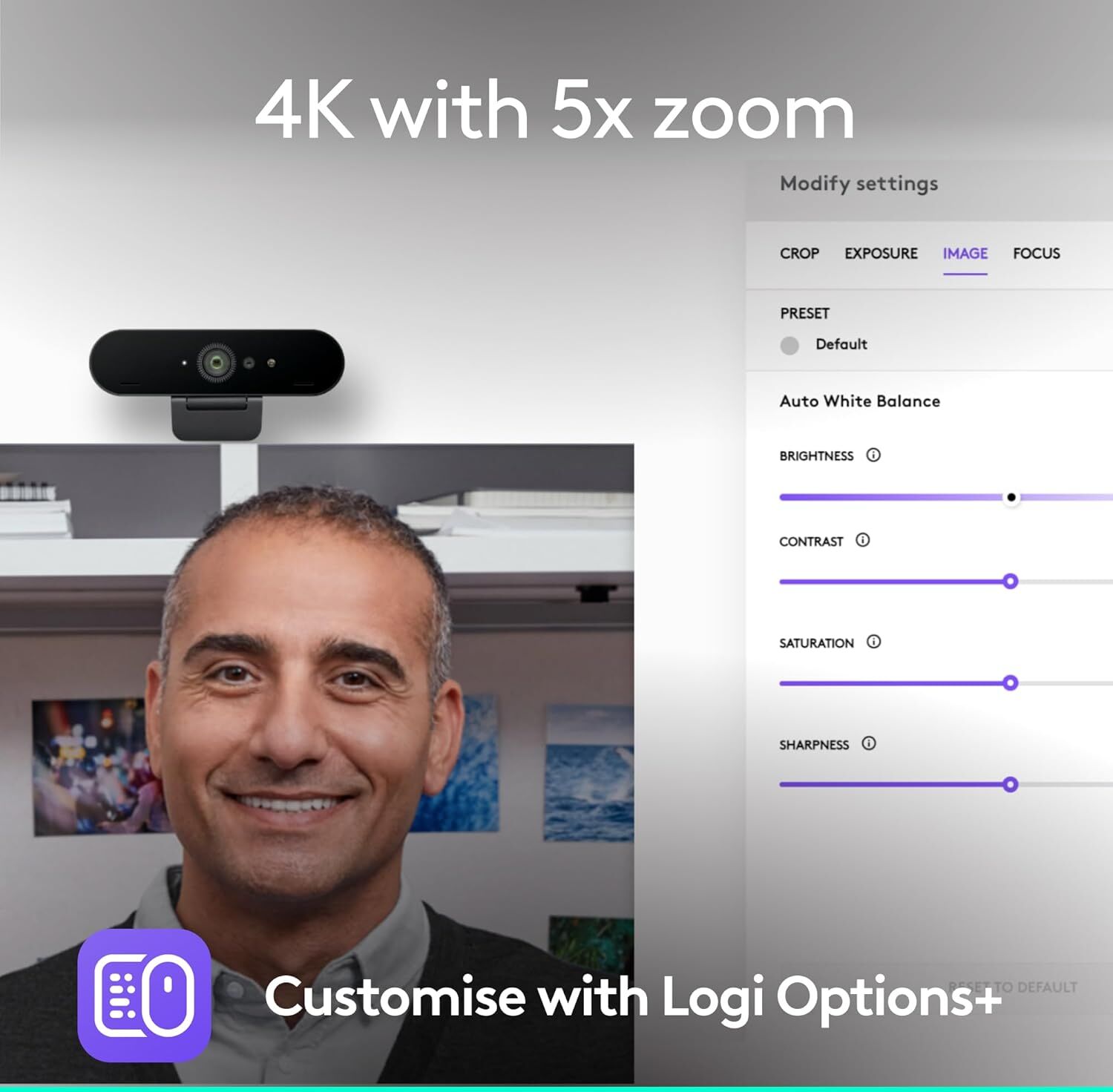
Logitech Brio 4K Webcam – Ultra HD Video Calling, Noise-Cancelling Mic, Auto Light Correction, Wide Field of View (Teams/Zoom/Meet)Overview Upgrade your video calls with the Logitech Brio 4K Webcam, a premium webcam designed for crystal-clear communication in professional and home working environments. Delivering sharp Ultra HD 4K video, a wide field of view, and HD auto light correction, Brio ensures you look clear and confident even in low lighting. With a built-in noise-cancelling microphone, it reduces background distractions for clearer voice capture—ideal for meetings, interviews, webinars and streaming. Fully compatible with Microsoft Teams, Zoom, Google Meet, Google Voice and more, it works seamlessly across PC, Mac, laptops, MacBooks and tablets, making it a reliable upgrade for anyone needing high-quality video calling. Key Features Ultra HD 4K webcam for incredibly sharp, detailed video Noise-cancelling microphone for clearer speech during calls HD auto light correction for improved image quality in poor lighting Wide field of view options for personal or group video calls Optimised for Microsoft Teams, Zoom, Google Meet, Google Voice and more Works with PC/Mac/laptop/MacBook/tablet setups Ideal for remote work, streaming, webinars and online teaching Premium Logitech build quality for reliable everyday use Benefits Look professional on calls with sharp 4K clarity and natural detail Clearer meetings with reduced background noise using the built-in mic Great performance in challenging lighting thanks to auto light correction Wide viewing angles make it ideal for team calls and collaborative spaces Perfect for hybrid workers, students and businesses upgrading their video setup Improves viewer experience for streaming and content creation Specifications Table Specification Details Brand Logitech Model Brio 4K Product Type Webcam Video Resolution Up to Ultra HD 4K Microphone Built-in Noise-Cancelling Mic Light Correction HD Auto Light Correction Field of View Wide Field of View (adjustable options) Compatibility PC, Mac, Laptop, MacBook, Tablet Supported Platforms Teams, Zoom, Google Meet, Google Voice & more Connection USB Ideal Use Video calls, meetings, remote work, streaming EAN / Barcode 5099206129719109,98 £*Shipping: 0,00 £Secure redirect to the provider
-
Make Brilliant Work: Lessons on Creativity, Innovation, and Success by Rod JudkinsDescription. Condition: BRAND NEW. Format: Paperback. Make Brilliant Work is an inspiring guide to unlocking your creative potential, showing you the methods and techniques that will transform your efforts and help you achieve your best ever work.. You don’t have to be brilliant to produce brilliant work. Many of the characters you will meet in this book failed at school, lacked natural talent, were not especially gifted or were repeatedly sacked. But their methods produced brilliant work – and they will work for you, too. Make Brilliant Work is the essential book from Rod Judkins, author of the international bestseller The Art of Creative Thinking.. Whatever your creative endeavour, you might find it hard to produce something significant and important. The real-life heroes in this book will show you how to make the transformation from ordinary to extraordinary. From Frida Kahlo to Steve Jobs, and star architect Zaha Hadid: the figures in Make Brilliant Work will show you how to think for yourself, take risks and persevere to create brilliant work.. Title. Make Brilliant Work: Lessons on Creativity, Innovation, and Success by Rod Judkins. Delivery. Content. Reviews2,49 £*Shipping: 2,99 £Secure redirect to the provider
-
How does a video conference with data volume work?
During a video conference with data volume, the audio and video data is transmitted in real-time over the internet. The data is broken down into packets, which are then sent over the network to the recipient's device. The recipient's device reassembles the packets to recreate the audio and video feed, allowing for a seamless video conference experience. The amount of data volume required for a video conference depends on factors such as the video quality, number of participants, and any additional features like screen sharing or file transfers. **
-
How does a video conference with Microsoft Teams work?
A video conference with Microsoft Teams works by first scheduling a meeting and inviting participants through the Teams app. Once the meeting time arrives, participants can join the video conference by clicking on the meeting link or by accessing the meeting through the Teams app. During the video conference, participants can share their screens, chat with each other, and collaborate on documents in real-time. Microsoft Teams also offers features like background blur and virtual backgrounds to enhance the video conference experience. **
-
How do I end a video conference?
To end a video conference, you can typically click on the "End Call" or "Leave Meeting" button that is usually located on the screen. Some video conferencing platforms may also have a specific option to "End Meeting" or "Close Meeting." Once you click on this button, the video conference will be terminated, and you will no longer be connected to the call. Make sure to confirm that you want to end the call before clicking on the button to avoid any accidental disconnections. **
-
Have you ever canceled a video conference?
As an AI, I do not have the ability to cancel video conferences. **
* All prices are inclusive of VAT and, if applicable, plus shipping costs. The offer information is based on the details provided by the respective shop and is updated through automated processes. Real-time updates do not occur, so deviations can occur in individual cases. ** Note: Parts of this content were created by AI.